


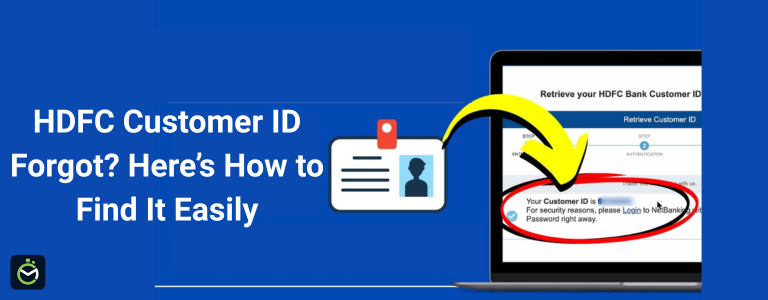
Forgetting your HDFC Bank Customer ID can be stressful, especially when you need quick access to online banking, request statements, or verify account details. Fortunately, there are several simple ways you can retrieve or recover your HDFC Customer ID - no need to visit a branch or wait in long queues. Here’s a comprehensive guide for finding your HDFC Customer ID easily and securely.
What is HDFC Customer ID?
An HDFC Customer ID is a unique identification number assigned to every account holder by HDFC Bank. It serves as your primary login credential for accessing HDFC NetBanking and the HDFC Mobile Banking App. Think of it as a digital key that links all your accounts and financial products - like savings, fixed deposits, credit cards, and loans - under one secure profile.
Unlike your account number, which identifies a specific bank account, the Customer ID identifies you as an individual customer across all HDFC Bank services. This means even if you hold multiple accounts with HDFC (for example, a savings account and a recurring deposit), your Customer ID remains the same for all.
You can find your HDFC Customer ID in several places, such as your welcome letter or email, passbook’s first page, or monthly account statement. It is essential to keep this ID confidential and accessible, as it’s required every time you log in to HDFC’s online banking platforms or contact customer care for verification.
Simple Ways to Retrieve a Forgotten HDFC Customer ID
1. Check Your HDFC Bank Welcome Letter or Passbook
-
When you open your HDFC account, you’ll receive a welcome kit containing your Customer ID. This number is printed on:
-
The first page of your physical passbook (for savings accounts)
-
The account welcome letter
-
Printed account statements
2. Find Customer ID in Account Statement
-
Both digital (PDF) and physical HDFC account statements prominently display your Customer ID - usually on the first page, near your name and account details.
3. Via HDFC NetBanking (If Still Logged In)
-
If you have access to NetBanking and haven’t been logged out, follow these steps:
-
Go to the NetBanking dashboard.
-
Click on ‘My Profile’ or your name in the top corner.
-
Your Customer ID will be listed with your other personal details.
4. Use the HDFC Mobile Banking App
-
Open the HDFC MobileBanking app and log in.
-
Tap on the menu or profile section.
-
Your Customer ID will be displayed under your account profile or personal details.
5. Forgotten Customer ID? Retrieve Online with Registered Mobile/Email
-
Visit the HDFC NetBanking login page.
-
Click on “Forgot Customer ID?” link (found below the login area).
-
Enter your registered mobile number, date of birth, and Captcha code as requested.
-
Receive your Customer ID instantly on your registered mobile/email.
6. SMS/Phone Banking for Customer ID
-
You can retrieve your Customer ID via SMS if your mobile is registered with HDFC Bank:
-
SMS “CUSTID ” to 5676712 from your registered mobile.
-
You will receive an SMS reply with your Customer ID.
-
For phone banking, call your local HDFC customer care and authenticate yourself to receive the ID.
7. Visit Branch (If Needed)
-
If online retrieval isn’t possible, visit your nearest HDFC Bank branch with a photo ID and your account details. The staff will verify your identity and provide your Customer ID on the spot.
8. How to know HDFC customer ID by WhatsApp
You can easily retrieve your HDFC Customer ID through the official HDFC Bank ChatBanking service on WhatsApp, available 24x7. This method is quick, secure, and can be done using your registered mobile number.
Step-by-Step Process to Get HDFC Customer ID via WhatsApp
1. Save the Official HDFC WhatsApp Number
Add 70700 22222 to your phone’s contacts. This is HDFC Bank’s verified ChatBanking number for all WhatsApp banking services.
2. Start a Conversation
Open WhatsApp and send “Hi” to the saved number.
You’ll instantly receive an automated reply from HDFC Bank ChatBanking, listing various banking services available through WhatsApp.
3. Authenticate Yourself
If you’re using ChatBanking for the first time, you’ll be asked to verify your identity.
-
Enter the OTP sent to your registered mobile number.
-
If you have multiple HDFC accounts, you may need to provide the last four digits of your debit card or loan account number for verification.
4. Request for Your Customer ID
Once your identity is confirmed, type “Know Customer ID” or select the relevant option from the chat menu.
After verification, HDFC ChatBanking will display your Customer ID securely in the WhatsApp chat window.
Tip: Always use your registered mobile number and ensure that you’re chatting with HDFC’s official verified account (green tick mark) to keep your information safe.
How to Prevent Forgetting Your HDFC Customer ID in the Future
Forgetting your HDFC Customer ID can disrupt your online banking access, delay transactions, and cause unnecessary inconvenience. Fortunately, with a few simple habits and digital best practices, you can ensure your Customer ID is always accessible when you need it. Here’s how to securely remember and manage your HDFC Customer ID for future use.
1. Save It Securely in a Password Manager
Use a trusted password manager app like Google Passwords, LastPass, or 1Password to store your HDFC Customer ID safely. These tools encrypt your login details and make them accessible across devices, ensuring you never lose them even if you change phones.
2. Note It in a Safe Offline Record
Write down your Customer ID in a personal diary or notebook that you use only for financial details. Avoid keeping it on loose paper or sharing it through unsecured channels like chat apps or emails.
3. Enable Biometric Login on HDFC Mobile App
Activate biometric authentication (fingerprint or face recognition) in the HDFC Bank Mobile App. Once enabled, you won’t need to manually enter your Customer ID every time you log in, reducing the risk of forgetting it.
4. Access NetBanking Regularly
Many people forget their Customer ID simply because they don’t use it often. Make it a habit to log in to HDFC NetBanking at least once a month to stay familiar with your credentials and monitor your account activity regularly.
5. Bookmark or Label Your HDFC Documents
Your Customer ID is printed on documents like your HDFC welcome letter, e-statement, and passbook. Mark these documents clearly or create a dedicated folder (physical or digital) named “HDFC Banking Info” so you can easily retrieve them anytime.
6. Register Your Email and Mobile for Alerts
Always keep your email ID and mobile number updated with HDFC Bank. This ensures you receive e-statements and official communications that often include your Customer ID — making retrieval simple in case you forget it later.
7. Avoid Sharing or Sending It Online
Never send your Customer ID through social media, SMS, or unverified links. Cybercriminals often target such data. Keeping your ID private helps prevent both security risks and accidental loss.
8. Set a Secure Digital Backup
If you use cloud services like Google Drive or iCloud, store your Customer ID in a password-protected note or document. Add a clear label like “HDFC Login Details – Confidential” for easy identification later.
Conclusion
Recovering your HDFC Customer ID is easier than most customers realize. Whether through your passbook, account statement, NetBanking portal, mobile app, or a quick SMS, HDFC Bank ensures multiple secure ways to help you access your ID instantly. Always keep your banking credentials safe, update your registered mobile number and email, and note down your Customer ID for future use. A little proactive management today can help you enjoy seamless, uninterrupted digital banking tomorrow.
Frequently Asked Questions
1. Is Customer ID and Account Number the same?
No. The Customer ID links all your accounts and loans; the account number is specific to individual accounts.
2. Can I recover my Customer ID online without my registered mobile number?
Most online methods require access to your registered mobile or email for verification. If unavailable, visit the HDFC branch.
3. Is there a fee to retrieve Customer ID?
No, retrieving your HDFC Customer ID is a free service.
4. Can I get my HDFC Customer ID through SMS?
Yes, some users can send an SMS in the prescribed format to 5676712 to receive their Customer ID.
5. How can I find my HDFC Customer ID without a passbook?
You can retrieve it online using your PAN and mobile number via the “Forgot Customer ID” option on the HDFC NetBanking page.
Disclaimer: The information provided above is for general guidance only. Customers should verify details on HDFC Bank’s official website or contact customer care for the most accurate and updated process.