


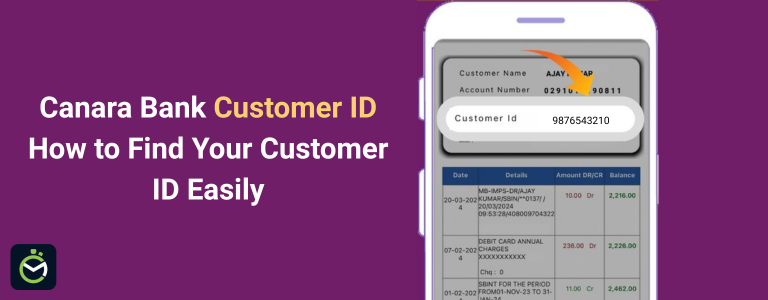
A Canara Bank Customer ID plays a crucial role in identifying every customer across the bank’s digital and branch-level services. This unique number is essential for activities such as activating net banking, setting up mobile banking, completing KYC updates, and verifying account details. However, many customers are often unaware of where this ID is located or how to retrieve it when needed.
This page provides a clear and detailed guide to help users find their Canara Bank Customer ID through multiple simple methods whether using a passbook, mobile banking, net banking, or by contacting the bank. Each method is explained in an easy-to-follow manner to ensure a quick and hassle-free experience.
Where Can You Find Canara Bank Customer ID?
| Method to Find Customer ID | Where to Check |
| Passbook | Printed on the first page under account details |
| Welcome Letter / Account Opening Kit | Customer information sheet provided during account opening |
| CANDI Mobile Banking App | Profile → My Details section |
| Net Banking | Profile or Account Summary section after login |
| Account Statement (PDF) | Top section of downloaded e-statement |
| SMS Banking | Using registered mobile number (if supported) |
| Customer Care | By calling Canara Bank toll-free numbers |
| Bank Branch Visit | At the help desk or customer service counter |
How to Find Canara Bank Customer ID
Method 1: Find Customer ID in Canara Bank Passbook
The simplest way to locate the Canara Bank Customer ID is through the passbook issued at the time of account opening. The Customer ID is usually printed on the first page of the passbook, along with key details such as the account number, branch name, and account type. It may appear as “Customer ID,” “Cust ID,” or sometimes “CIF Number.”
The number is generally placed at the top section of the page, either on the right or left side, depending on the branch format. Checking the passbook takes only a few seconds and does not require any login or verification, making it the fastest and most convenient method to retrieve the Customer ID.
Method 2: Check Customer ID Using Canara Bank Welcome Kit
The welcome kit provided at the time of opening a Canara Bank account is another reliable source for finding the Customer ID. This kit usually includes a welcome letter, account information sheet, and other essential documents. The Customer ID is printed within these documents, often alongside details such as the account number, branch code, and customer profile information.
Since the welcome kit is issued directly by the bank, the information is accurate and easy to locate. Customers who have safely stored their account-opening documents can quickly retrieve their Customer ID without needing to visit the branch or log in to digital banking services.
Method 3: Find Canara Bank Customer ID Through Mobile Banking (CANDI App)
The Canara Bank CANDI mobile banking app offers one of the quickest ways to retrieve the Customer ID, especially for users who actively manage their accounts online. Once logged in, the app displays all essential account details in a simple and user-friendly interface, including the Customer ID.
To locate it, open the CANDI app and sign in using your MPIN or biometric login. After entering the dashboard, navigate to the ‘Profile’ or ‘My Details’ section. This page lists your registered information, where the Customer ID is shown clearly along with your name, mobile number, and linked account numbers.
This method is particularly convenient because it requires no physical documents and works anytime, as long as the app is installed and login access is available. It is a secure, reliable, and instant way to retrieve Customer ID-ideal for users who prefer digital banking.
Method 4: Find Customer ID through Canara Bank Net Banking
Using Net Banking (Already Registered)
- Log in to the official Canara Bank Net Banking portal using your existing User ID and password.
- After logging in, open the “Profile”, “Account Details”, “Account Summary”, or any similar section on the dashboard.
- Look for fields labelled “Customer ID,” “Cust ID,” “Customer/User ID,” or “CIF.” The number displayed here is your Canara Bank Customer ID.
- In some account layouts, the Customer ID may not appear directly on the dashboard. In such cases, download your account statement, where the Customer ID is generally printed on the first page along with your name and account number.
If You Cannot Log In
- On the net banking login page, select the “Forgot User ID” option.
- Enter your account number and registered mobile number, then complete the OTP verification.
- Once verified, the system displays your User ID/Customer ID on the screen or sends it to your registered mobile/email.
- You can now use this information to access net banking and view your Customer ID anytime.
Method 5: Find Customer ID Using Canara Bank Account Statement (PDF)
The Canara Bank account statement—whether downloaded from net banking, mobile banking, or received via email-also contains the Customer ID in a clearly visible section. This makes it a reliable option for customers who prefer digital documents or do not have their passbook or welcome kit handy.
To find the Customer ID, simply open the PDF statement and check the top section of the first page. Banks usually print key customer details here, and the Customer ID may appear under labels like “Customer ID,” “Cust ID,” or “CIF Number.” If the statement is accessed through net banking, you might also notice the Customer ID displayed in the statement preview before downloading.
Method 6: Call Canara Bank Customer Care to Get the Customer ID of Canara Bank
Reaching out to Canara Bank’s customer care is a dependable way to obtain the Customer ID of Canara Bank, especially when online banking access or physical documents are not available. The support team can quickly verify your identity and help you retrieve the required details over a secure call.
To use this method, dial the bank’s toll-free numbers - 1800 425 0018 or 1800 103 0018. Follow the IVR menu to connect with a customer support representative. You will be asked to confirm key information such as your account number, registered mobile number, date of birth, or PAN for identity verification.
Once verification is successful, the executive will provide the Customer ID of Canara Bank or guide you on how to access it online. This method is simple, safe, and useful when immediate assistance is required without visiting a branch.
Method 7: Visit the Nearest Canara Bank Branch
Visiting a Canara Bank branch is the most direct and reliable way to retrieve your Customer ID, especially if digital access is limited or personal details need verification. Branch staff can quickly look up your information in their system and provide the Customer ID after confirming your identity.
To use this method, visit any Canara Bank branch during working hours and head to the customer service desk. Carry basic identification documents such as your Aadhaar card, PAN card, passbook, or debit card to speed up the verification process. After validating your details, the staff will share your Customer ID or provide it in written form.
This method is particularly helpful for new customers, those facing login issues, or individuals who have misplaced all their account-related documents. A branch visit ensures accurate information and personalized assistance.
Conclusion
Retrieving the Canara Bank Customer ID is simple, whether using digital banking services or offline support. From checking the passbook and welcome kit to using net banking, mobile banking, PDF statements, customer care, or visiting the branch, every method offers a convenient way to access this essential number. Since the Customer ID is required for activating online banking, completing KYC updates, and managing account services, keeping it accessible and secure is important.
With multiple easy options available, customers can choose the method that suits them best and recover their Customer ID without hassle.
FAQs on Canara Bank Customer ID
1. What is the Customer ID in Canara Bank?
The Customer ID in Canara Bank is a unique number assigned to each customer, used to identify your banking profile for net banking, mobile banking, and account services.
2. Where can I find my Canara Bank Customer ID?
It can be found in the passbook, welcome kit, account statement, net banking profile, mobile banking app, or by contacting customer care.
3. Is Customer ID and User ID the same in Canara Bank?
No. The Customer ID is assigned by the bank, while the User ID is created for net banking login. However, in some cases, the Customer ID is used as the User ID.
4. Can I get my Canara Bank Customer ID online?
Yes. The Customer ID can be viewed through net banking, mobile banking, or by downloading the PDF account statement.
5. How do I find my Canara Bank Customer ID without a passbook?
You can check it through the CANDI app, net banking, account statement, or by calling customer care.