


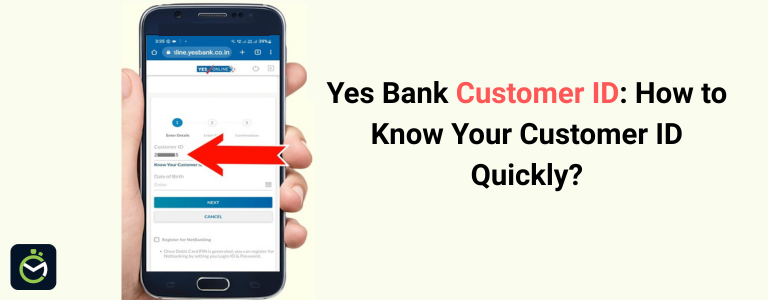
A Yes Bank Customer ID is a unique number assigned to every account holder, and it is required for accessing key banking services such as net banking, mobile banking, e-statements, and online account management. This ID acts as a digital identity within the bank’s system, helping customers securely use various services and complete verification processes.
Many customers often face difficulty locating their Customer ID, especially when registering for mobile or internet banking for the first time. To make the process easier, Yes Bank provides multiple online and offline methods to retrieve it quickly. This guide explains all the simple and effective ways to find your Yes Bank Customer ID, ensuring smooth access to all banking services.
How to Find Yes Bank Customer ID? (All Methods Explained)
You can find your Yes Bank Customer ID through passbook, mobile app, net banking, customer care, SMS, account statement, or by visiting the branch.
Method 1: Check Yes Bank Passbook
The Yes Bank Customer ID is printed on the first page of your passbook, along with your account number and other details. Open the passbook and look for the field labeled “Customer ID” or “CIF” - the number shown there is your Customer ID. This is the fastest and most reliable way to find it.
Method 2: Find Customer ID in Yes Bank Welcome Kit
When a new account is opened, Yes Bank provides a welcome kit containing essential documents such as the debit card, PIN, and account information sheet. This account information sheet includes key details about your account, and the Customer ID is clearly printed on it.
If you still have the welcome kit, simply check the document titled Account Details or Customer Information. The Customer ID is usually listed along with your name, account number, and branch details. This method is helpful for customers who recently opened their account and still have their welcome kit intact.
Method 3: Find Customer ID Using Yes Mobile App (If Already Logged In)
- Open the Yes Mobile App on your phone.
- Log in using your MPIN or fingerprint.
- Go to Profile, My Info, or Account Details.
- Look for the field named Customer ID.
- The number shown on this screen is your Yes Bank Customer ID.
Method 4: Find Customer ID Through Yes Bank Net Banking
Steps to Find Customer ID
- Visit the Yes Bank Net Banking login page.
- Enter your username and password to log in.
- Go to the ‘Profile’ or ‘Personal Details’ section.
- Look for the field labeled Customer ID.
- The number shown on this page is your Yes Bank Customer ID.
If you are not registered for net banking, use another method because Customer ID is required during first-time registration.
Method 5: Find Customer ID From Yes Bank Cheque Book
Yes Bank also prints the Customer ID on the first page of the cheque book, making it another easy way to retrieve it when needed. Open your cheque book and check the account information page that appears before the cheque leaves begin. This page usually contains key details such as your name, account number, branch details, and Customer ID/CIF number.
If the information page is available, you can quickly identify the Customer ID without visiting the bank or using digital channels. This method is helpful for customers who don’t use net banking or mobile banking regularly but still keep their cheque book handy.
Method 6: Look for Customer ID in Account Statement
The Yes Bank Customer ID is printed on the first page of your account statement PDF. Download the statement from net banking, the mobile app, or open the e-statement received on email, and check the top section. The number shown beside “Customer ID” or “CIF” is your Customer ID. This is a quick option if you use digital statements regularly.
Method 7: Call Yes Bank Customer Care to Get Customer ID
Yes Bank allows you to retrieve your Customer ID by contacting its customer care team. Call the toll-free number 1800 1200 and request your Customer ID. The executive will verify your details such as your name, account number, date of birth, or PAN. Once the verification is complete, they will share your Customer ID over the call. This method is convenient if you cannot access your passbook or account statement.
Method 8: Visit the Nearest Yes Bank Branch
You can get your Yes Bank Customer ID directly by visiting the nearest branch. Carry a valid ID proof such as Aadhaar, PAN, or your debit card for verification. Inform the bank staff that you need your Customer ID, and once your identity is confirmed, they will provide it immediately. This method is helpful when you don’t have access to your passbook, cheque book, or digital banking services.
Conclusion
Finding a Yes Bank Customer ID is simple, and multiple options are available whether you prefer online or offline methods. You can quickly retrieve it from your passbook, cheque book, account statement, mobile app, or by contacting customer care. If none of the digital options are accessible, visiting the nearest Yes Bank branch ensures you get the ID instantly after verification. With these easy methods, locating your Customer ID becomes hassle-free, allowing you to use all Yes Bank digital banking services without interruption.
FAQs on Yes Bank Customer ID
1. How can I find my Yes Bank Customer ID without a passbook?
You can find your Customer ID through your account statement, cheque book, Yes Mobile App, or by calling Yes Bank customer care. Visiting the branch is also an option.
2. Is Customer ID and Account Number the same in Yes Bank?
No. The Customer ID is a unique number assigned to you as a customer, while the account number is specific to each bank account you hold.
3. Can I get my Yes Bank Customer ID through SMS?
No, Yes Bank does not offer a dedicated SMS service to provide Customer ID. You must use other available online or offline methods.
4. Can I retrieve my Customer ID using the Yes Mobile App?
Yes, if you are already logged in. Go to Profile or Account Details, and the Customer ID will be displayed there.
5. What should I do if I forget both my Customer ID and net banking details?
You can call 1800 1200 or visit the nearest Yes Bank branch with ID proof. The bank will verify your identity and provide your Customer ID.
Disclaimer: This page includes information that has been compiled from many sources and is only offered for informational purposes. Given that this type of data may change over time, we cannot guarantee the accuracy of the information supplied or included within it. It is anticipated that the user will confirm with the relevant source before making any choices or taking any actions.