


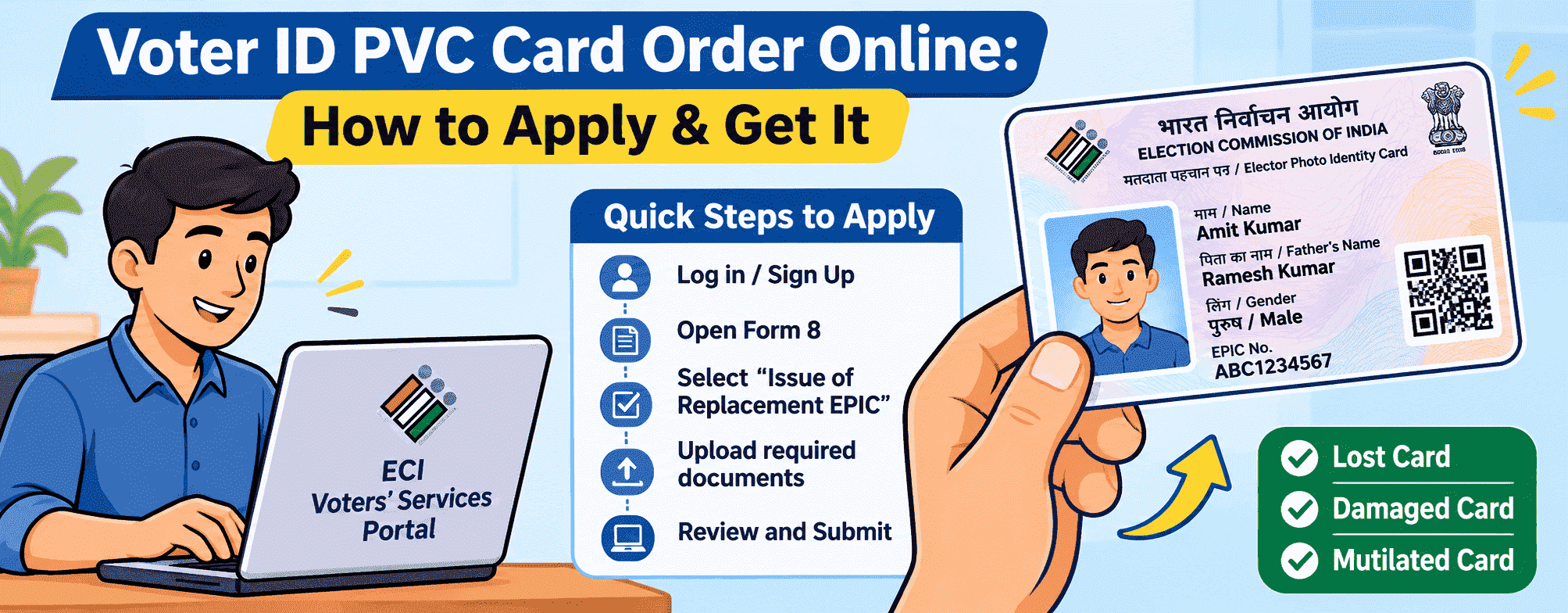
Want a durable PVC-style Voter ID card instead of your paper-based EPIC? You can apply for a replacement EPIC through the Election Commission of India's Voters' Services Portal using Form 8. Whether your existing card is lost, damaged or needs correction, the application process depends on your specific requirement. Once your request is approved, the replacement EPIC is issued through the prescribed delivery process.
What Is a PVC Voter ID Card?
A PVC Voter ID card is a plastic version of the regular Voter ID card issued by the Election Commission of India (ECI). It is made using durable PVC material, making it easier to carry and less likely to get damaged than a paper-based card.
The card contains important details such as your name, photograph, EPIC number and a QR code for verification. It serves as an official voter identity document and can be used as proof of identity for voting, subject to applicable election rules.
How to Apply for a PVC Voter ID Card Online?
If your Voter ID card is lost, damaged or difficult to use, you can request a replacement through the Election Commission of India's Voters' Services Portal. You need to submit Form 8 and select the "Issue of Replacement EPIC without correction" option. Follow these steps:
Step 1: Visit the Official Website
Go to voters.eci.gov.in. The home page shows forms on one side (new registration, correction, deletion) and services on the other (Track Application Status, e-EPIC Download and more).
Step 2: Log In to Your Account
If you’re new, choose Sign-Up, enter your mobile number and captcha, and verify the OTP. If you already have an account, choose Login, enter your mobile number, email or EPIC number, solve the captcha, and request an OTP. Then press Verify & Login.
Step 3: Open Form 8
Look under the "Correction of Entries" and select Form 8. This same form handles replacement cards.
Step 4: Enter Your EPIC Number
Choose Self if the card is yours, or other elector if you’re applying for a family member. Type the EPIC number, press Submit, select your record from the list and press OK.
Step 5: Choose the Replacement Option
Select "Issue of Replacement EPIC without correction" if you need a new card without changing your existing voter details. Then choose the reason for replacement, such as lost, destroyed or mutilated.
Step 6: Fill in Your Details
The form has five sections, A to E:
- A: State, district and constituency are filled in for you.
- B: Confirm your name and EPIC number, tick the Aadhaar box and enter your Aadhaar number. Then choose whose mobile number and email to use, yours or a relative’s.
- C: Confirm the replacement option, then tell the portal why you need a new card: lost, destroyed (by flood, fire or another natural disaster) or mutilated.
Step 7: Upload Required Documents
If you choose Lost, you’ll be asked to upload a copy of your FIR or police report. The file can be up to 2 MB, in JPG, JPEG, PNG or PDF format. For the other two reasons, the form mentions returning the old card or attaching a report, so read that line on screen before moving on. [Verify this on the live form.]
Step 8: Complete the Declaration
In section D, enter the date and place. It’s a legal declaration under the Representation of the People Act, so only submit true information.
Step 9: Captcha, preview and e-Sign
In section E, type the captcha and select Preview and Submit. Check everything. You’ll then be redirected to the CDAC e-Sign page, where you enter your Aadhaar number, choose Aadhaar OTP, tick the consent box and press Get OTP. Enter the OTP from your Aadhaar-linked mobile and press Submit.
Step 10: Save Your Reference Number
The acknowledgment page shows a reference number. Press Download Acknowledgment and keep the file somewhere safe. It’s the only way to track your request.
What Documents Are Required to Apply for a PVC Voter ID Card?
From the portal’s menu, open Track Application Status, enter your reference number and press Submit.
- EPIC number (printed on your Voter ID)
- Aadhaar number
- Aadhaar-linked mobile (for the e-Sign OTP)
- FIR or police report (only if the card is lost; up to 2 MB, JPG, JPEG, PNG or PDF)
- Matching name on Voter ID and Aadhaar
Note: The video shows “Replacement EPIC,” not “PVC.” Confirm on the portal before keeping “PVC” in the heading.
How Long Does It Take to Receive a PVC Voter ID Card?
The time required to receive a PVC Voter ID card depends on the application type, verification and delivery process. According to the Election Commission of India (ECI), the target is to deliver EPIC cards within 15 days after an update in the electoral roll. However, replacement card requests may take longer depending on the processing requirements.
You can check your application progress through the ECI Voters' Services Portal using your application reference number. If your card is delayed, contact your local Electoral Registration Officer (ERO) or call the Voter Helpline at 1950.
What Should You Do If Your Replacement Voter ID Card Is Delayed?
Start by entering your reference number under Track Application Status on the Voters’ Service Portal. If the status isn’t clear or the card is taking longer than expected:
- Check your registered details, especially the address, in case a mismatch is causing trouble.
- Raise a complaint through Voter Card Complaints (NGRS) on the portal.
- Contact your Booth Level Officer (BLO) or book a call with them from the portal’s home page.
- Reach out to your local Electoral Registration Officer (ERO) for an update.
- Call the Voter Helpline at 1950.
Keep your application reference number handy each time. It helps officials find your request quickly.
Conclusion
Applying for a PVC Voter ID Card or requesting a replacement EPIC is easier through the Election Commission of India's Voters' Services Portal. If your existing Voter ID is lost, damaged or mutilated, you can submit Form 8 online, provide the required documents and track your application using the reference number. Before applying, check the latest fees, eligibility requirements and delivery instructions on the official portal. You can also download your digital e-EPIC if you need a copy while waiting for your replacement card.
Frequently Asked Questions
1. Can I order a PVC Voter ID card online?
Yes, you can apply online for a replacement Voter ID through the ECI Voters' Services Portal using Form 8. However, the portal provides a replacement EPIC service, not a separate PVC card ordering facility.
2. Can I apply for a PVC Voter ID card for the first time?
No. First-time applicants must register as new voters by submitting Form 6 through the ECI Voters' Services Portal. After approval, an EPIC will be issued; the replacement EPIC facility under Form 8 is only for existing registered voters.
3. How can I track my PVC Voter ID card application status?
You can track your PVC Voter ID card application status through the ECI's Voters' Services Portal. Select Track Application Status and enter the reference number received after submitting Form 8. Follow the on-screen instructions to check your replacement EPIC application's progress and current status.
4. Is the e-EPIC card the same as a PVC Voter ID card?
No. An e-EPIC is the digital PDF version of your Voter ID, which you can download online. A PVC Voter ID card refers to a physical plastic-format card. Both serve as voter identity documents, but they differ in format and how you access them.
Disclaimer: This page includes information that has been compiled from many sources and is only offered for informational purposes. Given that this type of data may change over time, we cannot guarantee the accuracy of the information supplied or included within it. It is anticipated that the user will confirm with the relevant source before making any choices or taking any actions.